










Monogramming Instructions
Replacement instructions for new @work, Baseline, HTA.
-
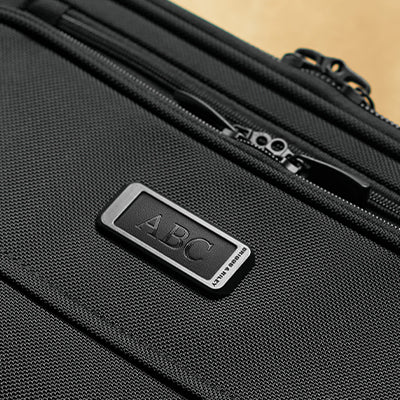
Locate the back of the monogram plate on the inside of the bag.
-
Use a #00 or #0 Philips head screwdriver to remove both screws from the monogramming plate and remove the existing leather patch from the enclosure.
-
Replace with your newly monogrammed patch, replace the screws and complete the process.
Replacement instructions for Sympatico, ZDX.
-
Use a 2mm allen wrench to remove both screws from the front of the monogramming plate and remove the existing leather patch from the enclosure.
-
Replace with your newly monogrammed patch, replace the screws and complete the process.
Replacement instructions for ZDX Hardside.
-
Insert the removal tool into the notch beneath the existing patch. Slide it completely through until it emerges from the opposite side.
-
Bend the center of the patch upward to release the tabs, then lift the patch out of the frame.
-
To install the new patch, tuck the tabs on one side beneath the frame. Flex the center up and tuck in the tabs on the opposite side. Press the patch flat until it sits smoothly and flush within the frame.
Replacement instructions for Discontinued TORQ.
-
Use a #00 or #0 Philips head screwdriver to remove both screws from the monogramming plate.
-
Remove the existing leather patch from the enclosure.
-
Replace with your newly monogrammed patch, replace the screws and complete the process.
Replacement instructions for Discontinued Sympatico.
-
On the interior running along the bottom of the lid, you will see a reverse zipper. The slider is tucked in the corner. Unzip the lining. You will see two black pieces of felt covering the screw heads.
-
Unscrew both screws with a #00 or #0 Philips head screwdriver and remove the existing leather patch from the enclosure.
-
Replace with your newly monogrammed patch. Reinstall in reverse order from above.
Replacement instructions for Discontinued @work
-
Use a #00 or #0 Philips head screwdriver to remove both screws from the monogramming plate.
-
Remove the existing leather patch from the enclosure.
-
Replace with your newly monogrammed patch, replace the screws and complete the process.